
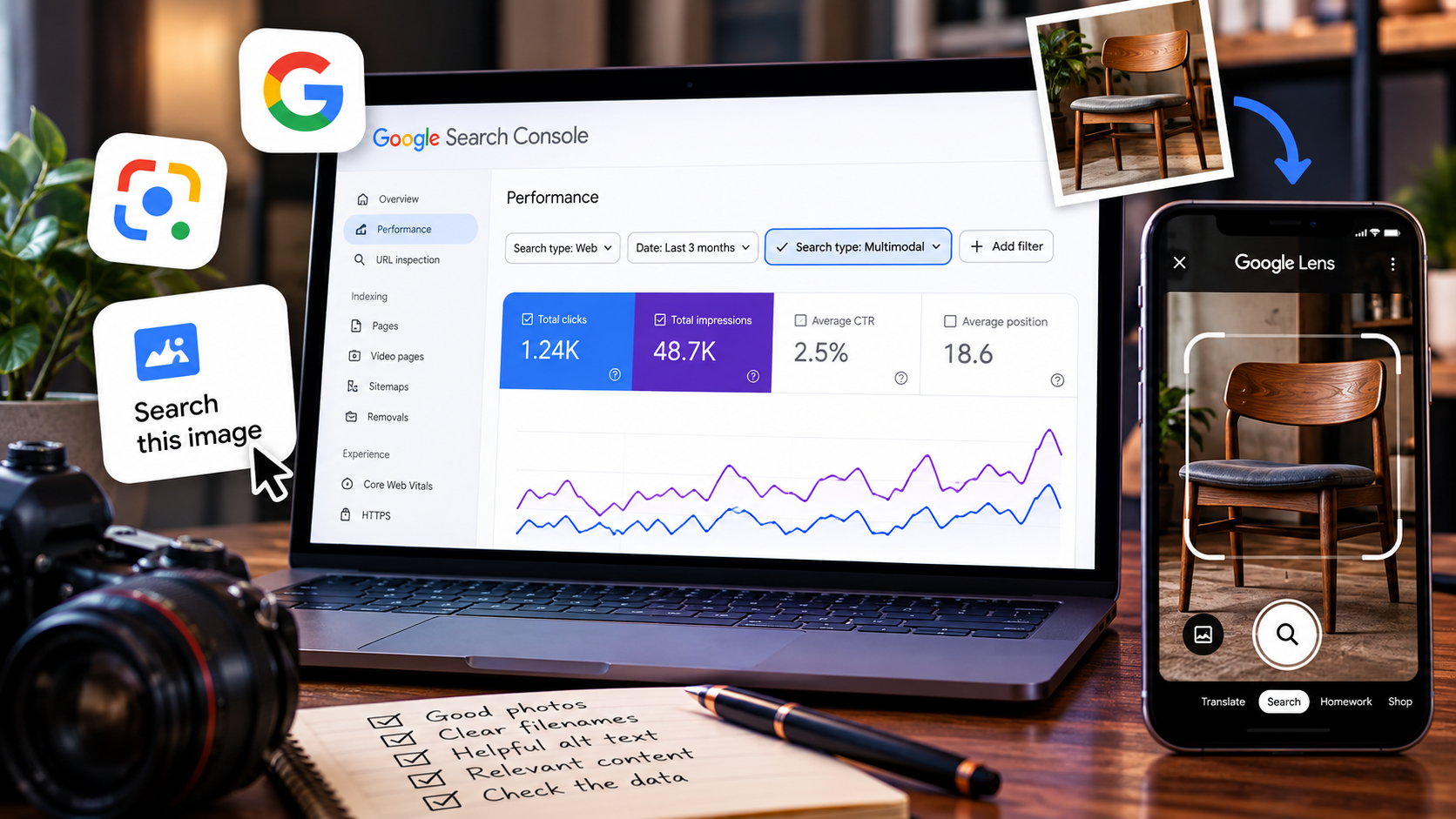
Google quietly gave website owners something I have wanted for a while: a better way to see when people find a website by searching with an image instead of just typing words into the search box. That matters because visual search has been sitting right in front of us for years, but the reporting has not exactly made it easy to tell when it was doing anything for your site.
On September 24, Google announced a new multimodal search filter inside Search Console. The reporting includes searches using Google Lens, Circle to Search on Android, images uploaded directly to Google Search, and Chrome's "Search this image" feature. Basically, if somebody points a camera at something, uploads a picture, circles an object on their phone, or searches from an image in Chrome, Google now has a better way to show website owners traffic coming from that kind of search.
And before anybody turns this into another "SEO IS DEAD AGAIN" article, no. You do not need to rebuild your entire website because Google added another filter to Search Console. But if your business sells something people can see, shows work people can compare, or depends on photos to explain what you do, this is worth paying attention to.
Google finally separated some of this traffic out.
Search Console already tells you about clicks, impressions, queries, pages, countries, devices, and different search types. The new multimodal filter adds another way to break that traffic down so you can see activity tied to image-based searches instead of having all of it blended into the bigger pile.
Google says the reporting is rolling out globally and that you will start seeing the metrics if your site is actually receiving traffic from those searches. That last part is important. If you open Search Console and see absolutely nothing, it does not automatically mean something is broken. You may simply not have any multimodal search traffic yet.
No multimodal data is not the same thing as an SEO error. Search Console only has something useful to show you when people are actually reaching your site through those searches.
So what the hell is "multimodal search" anyway?
In normal-person language, it means the search is not based only on typed words. An image can be part of the question too.
Somebody could take a picture of a chair and try to find something similar. They could circle a pair of shoes in a photo. They could photograph a damaged countertop and look for repair information. They could see a car finish they like and search from the image. The picture becomes part of what Google is using to understand what the person wants.
Google specifically says the new reporting can include Lens, Circle to Search, image uploads to Google Search, and Chrome's right-click image search. So this is not some theoretical feature that may matter in ten years. People are already searching this way. The new part is that website owners are getting a clearer window into it.
Where do you find it in Search Console?
Google says the new option lives inside the Performance reports. Look for the multimodal search type filter. The reporting is also being included with Google's Generative AI performance reporting, which makes sense because search is becoming a lot less tidy than the old "type three words and get ten blue links" version of the internet.
- Open Google Search Console for your verified website.
- Open the Performance report.
- Look for the multimodal search type filter.
- Compare clicks, impressions, pages, and other available dimensions instead of staring at one total number.
- Export the report if you want to compare it with your other Search Console data over time.
I would not obsess over this report every morning. Check it periodically, especially if your business uses a lot of original photography or if visual examples are a major part of how customers choose you.
This could matter a lot more to some businesses than others.
If you are an accountant and most of your website is explaining tax services, multimodal search may not suddenly become your main traffic source. But there are plenty of businesses where the picture itself carries a huge amount of information.
Think auto detailers showing paint correction, furniture shops showing refurbished pieces, home inspectors documenting defects, bakeries showing custom cakes, landscapers showing finished yards, contractors showing before-and-after work, real estate companies showing properties, restaurants showing food, clothing stores, bike shops, salons, tattoo artists, photographers, and ecommerce stores.
A customer does not always know the right words for what they are looking at. Sometimes a picture explains the problem better than they can. That is where visual search gets interesting.
Somebody sees a refurbished mid-century dresser they like but has no idea what style it is. Instead of typing six bad guesses into Google, they search with the image. If your furniture shop has a relevant, well-described photo on a useful page, that image can become another path into the website.
You do not need "multimodal SEO." You need better image SEO.
This is the part where somebody will eventually invent a twelve-step "multimodal optimization framework" and charge $799 for a webinar. Please don't.
Google's own image guidance is a lot less dramatic. Make the images discoverable, put them on useful pages, use descriptive filenames when possible, write useful alt text, keep the image relevant to the surrounding content, and use good quality images without turning the page into a 14-megabyte loading screen.
- Use real HTML image elements so Google can discover the image.
- Give important images short, descriptive filenames.
- Write alt text that describes what is actually in the image.
- Place the image near text that explains the same subject.
- Use sharp, useful photography instead of blurry filler.
- Compress images so the page still loads quickly.
- Use relevant images in your page metadata and structured data where appropriate.
Google specifically says the surrounding page content matters. It also says filenames can provide light clues about the subject of an image, and that alt text helps Google understand the image along with computer vision and the rest of the page.
In other words, a photo called IMG_8472.jpg sitting
on a page with no useful explanation is not giving Google much to
work with. A photo called
black-suv-paint-correction-before-after.webp on a
real paint-correction service page, with accurate alt text and
useful surrounding content, tells a much clearer story.
That does not mean the filename magically ranks the image. It means you are giving the search engine better context instead of making it play detective for no reason.
Alt text is not a bag where you hide 37 keywords.
This one deserves its own section because people still do it.
Alt text should describe the image in a way that is useful for accessibility and gives search engines meaningful context. It is not supposed to be: "car detailing auto detailing mobile detailing best detailer ceramic coating Chicago cheap car wash detailing near me."
Google explicitly warns against keyword stuffing in alt text. Write what the image actually shows. If the important search term belongs there naturally because that is what the picture is, fine. If you have to stuff a paragraph into the alt attribute to make it fit, you are doing something weird.
Quality matters, but so does not murdering the page speed.
Google recommends high-quality images because people are more likely to engage with clear, useful photos. At the same time, images are often some of the heaviest files on a page.
So the goal is not "upload the biggest image your camera can physically produce." The goal is a sharp image at an appropriate size, compressed well, delivered responsively, and actually worth looking at.
A beautiful 12-megabyte hero image that takes five seconds to load on a phone is still a bad user experience. Congratulations, the customer can now appreciate every individual pixel while leaving the website. 😂
The interesting part is what you can learn from the report.
The new filter is useful because it gives you another way to spot what Google is already responding to. I would use it the same way I use normal Search Console data: look for clues before changing things.
If one service page starts receiving multimodal impressions, look at the images on that page. Are they original? Are they showing a specific product, repair, finish, room, result, or problem that people might search visually? Is there another related page where stronger photography would make sense?
If a product image starts bringing clicks, that is useful information. If you have thousands of impressions but almost no clicks, that is also useful information. Maybe the image is being surfaced for something adjacent to what you sell. Maybe the page needs clearer context. Maybe the result is useful to Google users without generating a visit. The point is to look at the actual pattern instead of declaring victory because a new number appeared.
Find what is already getting impressions, figure out why that page or image might be relevant, and improve from there. Do not randomly rename every image on the website because somebody discovered a new Search Console filter.
What I would not do after seeing this announcement.
I would not rewrite every alt attribute on the website around search keywords. I would not add dozens of irrelevant images to pages because "visual search is the future." I would not replace useful text with giant photo galleries. I would not buy a plugin promising to "optimize your website for Google Lens" unless I could explain exactly what the plugin was doing.
And I definitely would not panic because the multimodal report is empty the first time I open it.
Google did not announce a new ranking requirement. It announced better reporting for a way people are already searching.
For once, the SEO advice is pretty simple.
If images matter to your business, treat them like real website content instead of decoration.
Use good photos. Put them on pages that actually explain what people are looking at. Give Google and your visitors enough context to understand them. Keep the files reasonably fast. Use accurate alt text. Then check Search Console and see whether people are finding you that way.
That is a lot less exciting than inventing a new branch of SEO, but it is also something a normal business owner can actually do.
And now that Search Console can show more of this traffic, at least we finally get to see whether all those carefully named, compressed, described images are doing anything besides making us feel responsible.
If you want to check the rest of the page while you are already in an SEO mood, the Template Forge SEO Health Checker can give you a quick look at the technical basics without asking for your email address, firstborn child, or a 14-day trial.