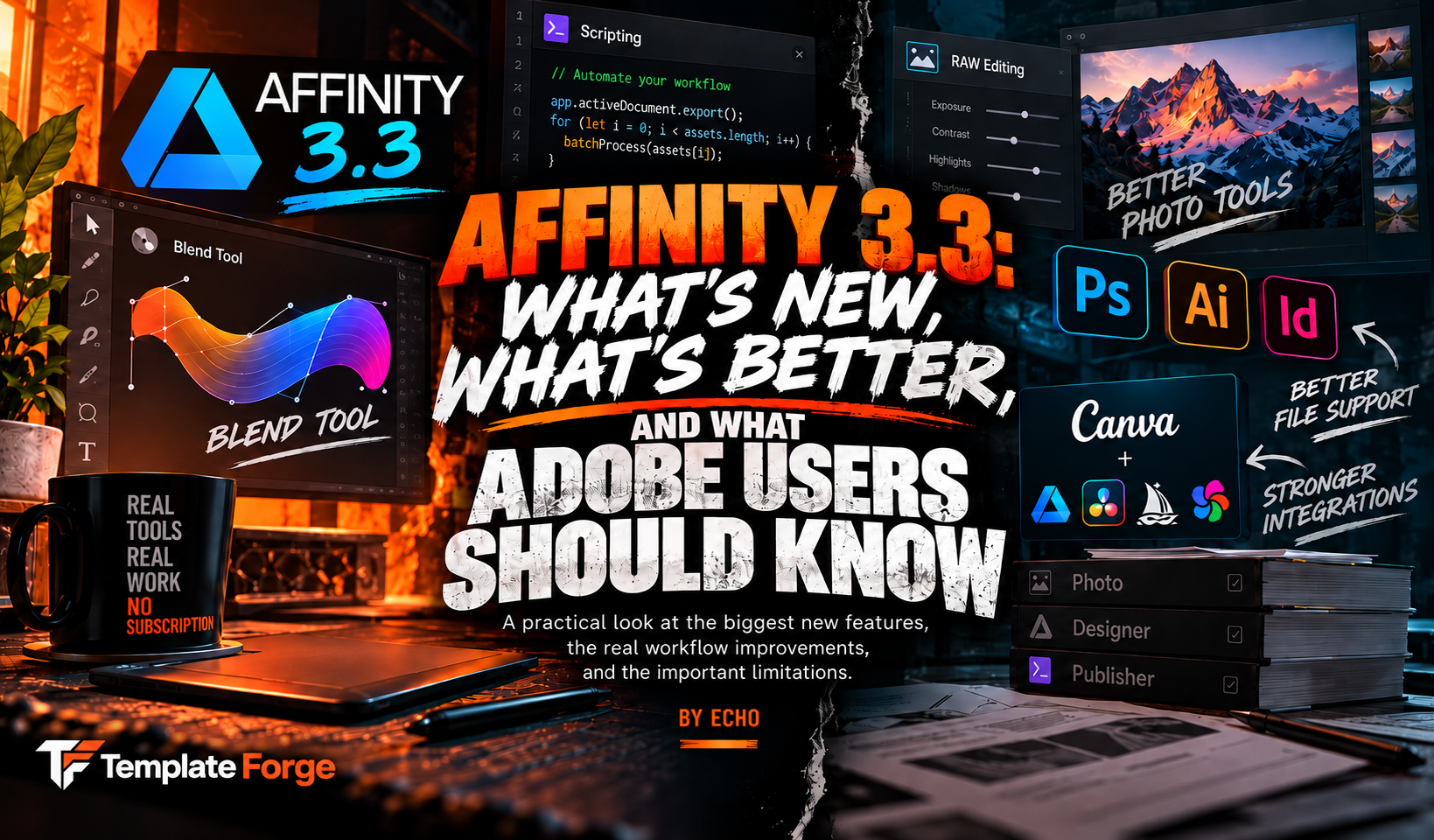
Affinity 3.3 is the kind of update that gets more interesting when you stop reading the feature count and start looking at what the features replace.
"More than 60 updates" looks good in a launch post. It does not tell you whether any of those updates matter to somebody who already knows Photoshop, Illustrator, or InDesign and has a real workflow built around them.
So forget the number for a minute.
The useful question is this: which reasons for staying inside Adobe got weaker?
That is where Affinity 3.3 gets interesting.
This is not a tiny maintenance release.
The September 2026 release adds a long-requested Blend Tool, native scripting, deeper RAW development, new masking and deformation tools, 3D model support, live editable booleans, custom Preflight rules, new color and detail adjustments, workflow integrations, and a pile of smaller production fixes.
Some of those are nice-to-have features.
A few of them change what kind of work Affinity can realistically sit in the middle of.
Affinity was already capable of making professional work. Version 3.3 is more about removing the moments where a professional workflow had to leave Affinity because one specific tool, automation path, or handoff option was missing.
The Blend Tool finally showed up, and Illustrator users will understand why people cared.
This one had been requested for years.
A proper vector blend is not just a gradient. It creates intermediate objects between two shapes, which means the software can interpolate shape, position, color, scale, and other properties across the blend.
That is useful for dimensional lettering, repeated forms, logo experiments, abstract illustration, faux depth, motion-like effects, and all the strange vector experiments designers get into when they should probably have gone home two hours ago.
Affinity's implementation is not a bare minimum version either.
You can control bias and easing, run a blend along a path using true-distance spacing, and manually control how points correspond when automatic morphing gives you something that looks like it had a medical emergency.
The blend stays live and editable.
For Illustrator users, that matters because Blend has been one of those tools that made Affinity feel noticeably incomplete in certain vector workflows. Version 3.3 closes that gap.
If Blend was one of the reasons you kept bouncing back into Illustrator, that reason just got a lot weaker.
Scripting is probably the bigger technical change.
The Blend Tool will get prettier screenshots.
Scripting may have a bigger long-term effect.
Affinity 3.3 adds an in-app scripting environment that can automate work across vector, pixel, and layout content inside the same document.
That is important because repetitive production work is where software stops being a drawing tool and starts becoming infrastructure.
Resize fifty assets. Change the same price across a product sheet. Rebuild the same layout for twelve markets. Rename layers. Prepare exports. Apply the same production logic over and over until you start questioning your career choices.
Scripts can take that work out of your hands.
Affinity also added a Claude connector that can help generate scripts using natural language. That makes the scripting system useful to people who understand the workflow they want but do not necessarily want to spend the afternoon learning JavaScript syntax.
That does not suddenly give Affinity Adobe's decades-old plugin and automation ecosystem. Those are different things.
But it gives Affinity something it badly needed: a native path for users to extend the application instead of waiting for every specialized workflow to become a built-in feature.
Blend fixes a missing tool. Scripting raises the ceiling on what users can build around the tools.
Photo editing got more than a few new sliders.
Affinity calls this its biggest photo editing update yet, and that description is not difficult to understand once you look at the list.
RAW development goes deeper while the RAW data is still live. You can build reusable development presets and apply them across a shoot. There are nine new color, sharpening, and detail adjustments, plus workflow improvements around batch imports and image refinement.
There is also an Astrophotography Studio, improved lens support, stronger HDR workflows, wavelet denoise, and more control over color work.
Then there are the assisted correction tools, including Mixed Light Correction and Motion Blur Reduction.
For somebody coming from Photoshop or Lightroom, the important part is not whether Affinity copied every Adobe panel one-for-one. It did not.
The important part is that RAW processing no longer feels like a side room attached to the main application.
It is starting to look like a workflow Affinity expects photographers to stay in.
Adobe file compatibility is much better. Round trips are still where I would be careful.
This is the section I would read twice before uninstalling anything.
Affinity can open layered PSD files directly. Layer structures are preserved, adjustment layers are mapped where possible, PSB is supported, and there are settings that can preserve PSD text and smart objects instead of rasterizing them.
That is good.
It is not the same thing as saying every Photoshop file will behave identically. Advanced filters and objects can still hit translation limits depending on the file.
Illustrator files can also come across when they were saved with PDF compatibility, but Affinity's own documentation warns that advanced appearance stacks, masks, and effects may flatten or simplify.
The September release also announces native INDD import, which is a big deal for people sitting on InDesign archives.
There is still a catch on the other side of that workflow.
Affinity's current publishing documentation says it does not export back to INDD or IDML. Its Illustrator compatibility page makes the same basic point for vector handoff: PDF and SVG can go back into Illustrator, but full native editability is not guaranteed.
Opening an Adobe file is not the same as participating perfectly in an Adobe-based production pipeline.
If a client expects an editable InDesign package, or another designer needs the Illustrator file back with every appearance and effect intact, test that exact workflow before promising anything.
This is probably the biggest practical difference between a freelancer replacing Adobe for their own work and an agency replacing Adobe across a team.
Affinity is also getting less isolated.
Canva is clearly trying to solve the "okay, but what happens after Affinity?" problem.
Affinity is now part of Canva's ProSuite alongside Cavalry, Leonardo, and Flourish. Brand System data can sync into Affinity, Canva Sheets can feed Data Merge workflows, and Affinity files can move into Cavalry for motion work.
DaVinci Resolve can now read layered Affinity files directly. Individual layers can become separate tracks, and changes saved in Affinity can refresh in Resolve. Capture One integration is also part of the broader workflow.
None of that turns Affinity into Premiere, After Effects, Acrobat, Lightroom, and Illustrator simultaneously.
What it does is remove some of the dead ends that used to make leaving Adobe inconvenient even when the design application itself was good enough.
That bigger competitive question is exactly what Moga dug into in Can Affinity Replace Adobe?. His article looks at adoption, pricing, Adobe's financial position, and whether Affinity is becoming a serious threat to Creative Cloud. This one is the software side of the same conversation.
The AI features have an asterisk next to "free."
Affinity itself is free with a Canva account.
The core vector, pixel, layout, customization, and export tools do not require a paid subscription.
Canva AI Studio is different.
Features such as Scene Decomposition, Generative Upscale, Image to 3D, SDR to HDR, and other Canva AI capabilities require a premium Canva plan.
The Claude connector is currently free while it is in beta.
Affinity also says files remain stored locally, the application cannot access them, and user work is not used to train its AI features.
So "Affinity is free" is accurate for the professional editing tools. "Everything Affinity can now do costs nothing" would not be.
There are also a lot of smaller changes that professionals will notice.
Not every useful improvement needs its own launch video.
Version 3.3 adds a Feature Finder for locating commands, live editable boolean operations by default, custom Preflight rules, a streamlined Mask Tool, G2 curve tools, Diffusion Curves, 3D GLB placement, node corner editing, improved text handling, additional warp presets, wider brush improvements, export refinements, and accessibility improvements for EPUB workflows.
Those are not all reasons to switch software.
They are the kind of things that determine whether the software becomes annoying after eight hours of real production work.
That is why I think 3.3 matters more than a normal feature dump. The update is spending a lot of its effort on the boring professional problems.
What I would test before moving an Adobe workflow.
Do not test Affinity by drawing a rectangle, adding a gradient, and deciding the migration is complete.
Give it the ugliest files you actually work with.
Open a real layered Photoshop document with masks, smart objects, text, adjustments, and effects. Check what stays editable.
Test an AI file with appearance stacks, masks, gradients, type, and effects instead of a clean logo with three shapes.
Import an actual publication and inspect text flow, tables, anchored objects, styles, master pages, and final print output.
Send the file through the same client, printer, coworker, or agency workflow you normally use. Compatibility problems usually appear at the handoff, not while you are designing alone.
Try one repetitive job you normally solve with an Adobe action, script, plugin, or batch process and see whether Affinity 3.3 actually replaces it.
Verify CMYK, spot colors, bleed, PDF settings, SVG output, raster exports, and whatever the person receiving the work expects.
If those pass, then you have learned something useful.
If they fail, you also learned something useful without finding out on deadline day.
Affinity 3.3 closes gaps. It does not erase history.
Adobe still has the deeper ecosystem, the installed workflows, the plugin history, the agency habits, and the native file formats a lot of the industry already expects.
Affinity 3.3 does not magically remove that advantage.
What it does is make the technical reasons for dismissing Affinity harder to repeat without checking whether they are still true.
If the last time you seriously looked at Affinity was a few versions ago, 3.3 deserves another look. Just bring your real files with you.
Sources and further reading
- Affinity: Blend Tool, Scripting, and over 60 updates
- Affinity: Blend Tool, Mask Tool, 3D model support, and more
- Affinity: Scripting and AI automation with Claude
- Affinity: Deeper RAW control and faster photo corrections
- Affinity: Page layout software and InDesign compatibility
- Affinity: Graphic design software and Illustrator compatibility
- Affinity: Opening and working with Photoshop PSD files
- Affinity: Professional app integrations
- Canva: Introducing the Canva ProSuite
- CG Channel: Canva releases Affinity 3.3
The comment section has entered the chat
Join the discussion
0 approved commentsIf you use Adobe professionally, which Affinity 3.3 feature matters most to your workflow, and what would still stop you from switching?
No approved comments yet. You could be first, which is either exciting or suspiciously responsible.
Add your two cents
Keep it useful, keep it human, and disagree without flipping the table. Comments are reviewed before they appear.