
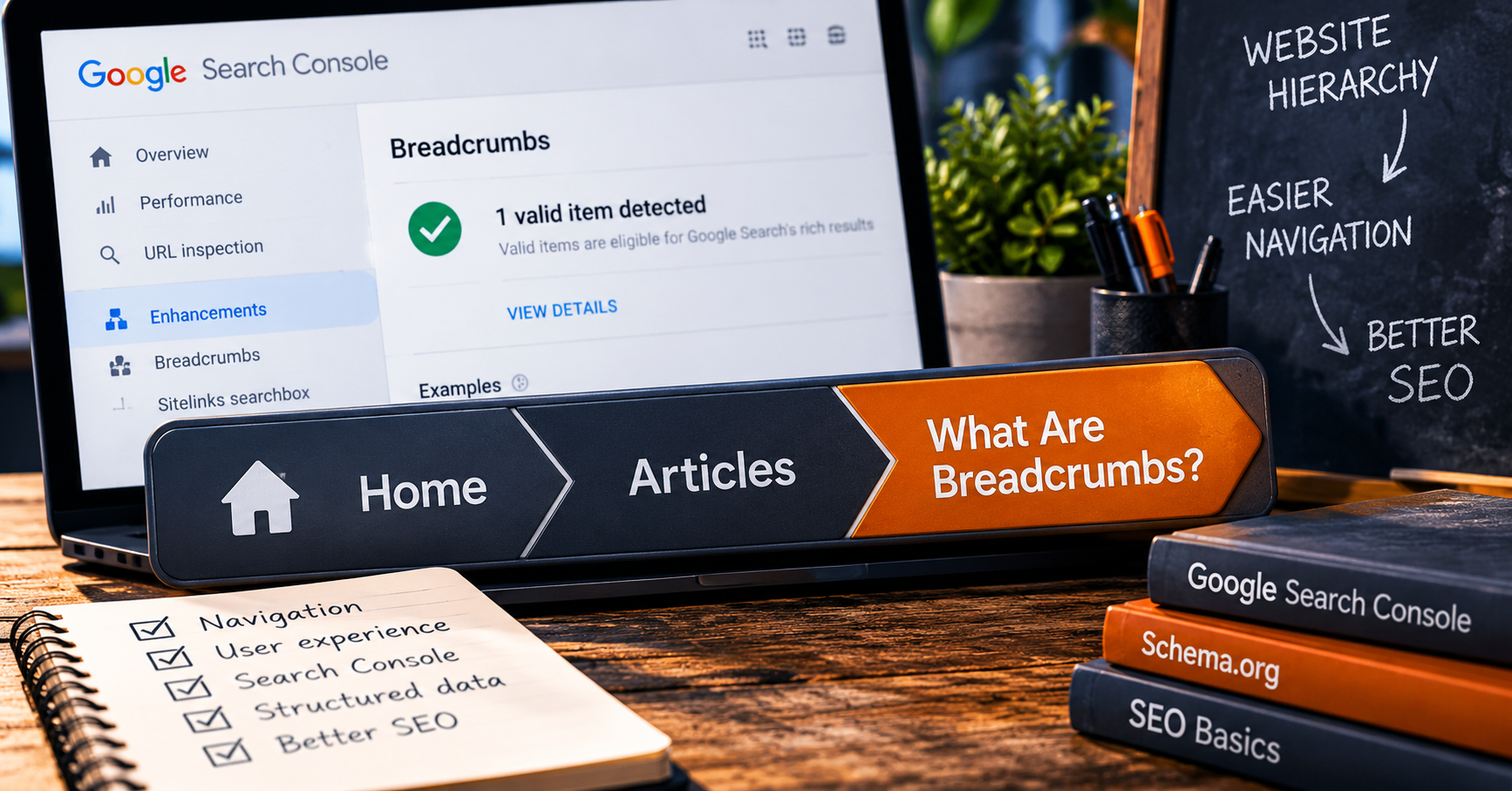
So what are breadcrumbs?
You have probably seen them hundreds of times without knowing somebody gave them a name.
They usually look something like this:
That little trail tells you where the page lives inside the website.
You are on an article.
Articles live under the Articles section.
Articles live inside the main website.
Nothing magical happened.
The website simply showed its work.
The name makes more sense once you stop imagining bread and start thinking about a trail. Breadcrumbs give visitors a path back through the structure they are standing in.
Why bother if the website already has a menu?
Because navigation menus and breadcrumbs answer different questions.
The menu says: where could I go?
Breadcrumbs say: where am I right now?
That distinction matters more as a website grows.
If a site has five pages, nobody needs emergency navigation equipment.
If it has products, categories, articles, guides, services, locations, resources, and subcategories, suddenly knowing the current page's place in the family tree becomes useful.
Similar jobs.
Not the same job.
Google also wants to understand the trail.
This is where breadcrumbs move from ordinary navigation into SEO conversations.
Google's breadcrumb documentation says a breadcrumb trail indicates a page's position in the site hierarchy and can help users understand and explore the site.
Google also supports structured breadcrumb data using BreadcrumbList.
That gives Google a machine-readable version of the hierarchy.
There are really two layers here:
- the breadcrumb trail people can see and use,
- and the structured breadcrumb data search engines can read.
They should tell the same basic story.
If the visible site says:
Home / Services / Plumbing
but the structured data says:
Home / Recipes / Chocolate Cake
we have moved past SEO and into a cry for help.
So what does "Breadcrumbs: 1 valid item detected" mean?
This is the line that sends people searching for articles like this one.
It does not mean your breadcrumb trail contains only one link.
Search Console reports structured-data items, not simply the number of visible breadcrumb links on the page.
If Google finds one valid BreadcrumbList object on the page, that can appear as one valid breadcrumb item even though the list itself contains several steps.
So a trail containing:
Home / Articles / Breadcrumbs
can still be reported as one valid breadcrumb structured-data item.
That green check is generally good news.
It means Google found the structured data and did not find a critical issue preventing that item from being valid.
You do not need to manufacture three more breadcrumb objects just because three visible words appear on the screen.
Please do not optimize by multiplication.
BreadcrumbList is the machine-readable version.
If you read the schema article, this part should look familiar.
A breadcrumb trail can be described using Schema.org's BreadcrumbList vocabulary.
Each step is a ListItem with a position and a name. The earlier items normally include the URL they represent.
{
  "@context": "https://schema.org",
  "@type": "BreadcrumbList",
  "itemListElement": [
    {
      "@type": "ListItem",
      "position": 1,
      "name": "Home",
      "item": "https://example.com/"
    },
    {
      "@type": "ListItem",
      "position": 2,
      "name": "Articles",
      "item": "https://example.com/articles/"
    },
    {
      "@type": "ListItem",
      "position": 3,
      "name": "What Are Breadcrumbs?"
    }
  ]
}
Position 1 is the beginning of the trail.
Position 2 comes next.
This continues until somebody invents position 2.7 and we all go home.
Google's current documentation says a BreadcrumbList should contain at least two ListItem entries to be eligible for Google's breadcrumb feature.
The final item does not have to include its own URL. If it does not, Google can use the URL of the page containing the markup.
The breadcrumb should describe a path a normal visitor would understand. Do not turn the URL folder structure into a sacred family genealogy just because the folders exist.
Breadcrumbs do not have to copy the URL.
This is one of the more useful details in Google's documentation.
Google recommends representing a typical user path to the page rather than simply mirroring the URL structure.
Suppose the URL is:
/content/resources/articles/seo/breadcrumbs.php
That does not mean the visitor needs:
Home / Content / Resources / Articles / SEO / Breadcrumbs
Nobody asked for the server's autobiography.
A cleaner trail might be:
Home / Articles / Breadcrumbs
The breadcrumb exists for understanding, not archaeological accuracy.
Breadcrumbs and XML sitemaps are not the same thing.
SEO terminology has an impressive ability to give several completely different things names that sound vaguely related.
| Thing | What it does | Who it helps |
|---|---|---|
| Breadcrumbs | Show where the current page sits in the site hierarchy. | Visitors and search engines. |
| BreadcrumbList schema | Describes that breadcrumb hierarchy in structured data. | Search engines. |
| XML sitemap | Lists important URLs you want search engines to discover and crawl. | Search engines. |
An XML sitemap is not normally visible navigation for customers.
A breadcrumb trail is.
One helps describe the site's inventory.
The other helps describe the current page's place inside it.
There is one current Google detail people miss.
Breadcrumbs still matter to Google's structured-data system, but Google changed where the breadcrumb element appears in search results.
In January 2025, Google stopped showing breadcrumb paths in mobile search results because they often became truncated on smaller screens.
Breadcrumbs continue to appear in desktop search results.
Google also said there was nothing site owners needed to remove. Breadcrumb markup remained supported, the breadcrumb report in Search Console remained available, and the markup could still be tested with the Rich Results Test.
So if you are looking at your phone wondering where the fancy breadcrumb went, the website may be perfectly fine.
Google just stopped displaying that part on mobile.
What usually goes wrong with breadcrumbs?
Most breadcrumb problems are not mysterious.
They are usually one of these:
- the positions are missing or out of order,
- a breadcrumb name is missing,
- a required item URL is missing on an earlier step,
- the hierarchy does not match the site's real navigation,
- the markup contains an old or broken URL,
- the template generates different markup on different pages,
- or the structured data exists but contains a syntax error.
Search Console's rich-result reports separate valid and invalid structured-data items.
An invalid item has a critical issue preventing it from being eligible for that rich-result feature.
If Google reports a breadcrumb error, inspect the affected URL, check the detected structured data, fix the markup on the website, and test it again.
Google cannot repair your JSON from Search Console.
It has boundaries.
Does every page need breadcrumbs?
No.
A tiny five-page brochure site with Home, About, Services, FAQ, and Contact may not gain much from breadcrumbs on every page.
The hierarchy is already shallow enough that nobody is likely to get lost between About and Contact and begin rationing supplies.
Breadcrumbs become more useful when the site has depth.
Think:
- large article libraries,
- product categories,
- service categories,
- location sections,
- documentation,
- guides,
- or several layers of content.
If visitors can reasonably wonder how they got somewhere or how to move back one logical level, breadcrumbs can help.
So should you care when Search Console says "Breadcrumbs"?
Yes, but not in the dramatic way SEO dashboards sometimes make everything feel.
If Search Console says the breadcrumb item is valid, that is generally confirmation that Google found and understood the structured breadcrumb data.
If it says the item is invalid, open the issue and fix the actual markup problem.
If you have no idea why breadcrumbs appeared in the report at all, now you do.
They are just the little trail telling people and search engines:
You are here. This is where here lives. These are the steps above it.
Which is much less mysterious than the word made it sound.
And if you are already poking around Search Console wondering what the rest of the labels mean, the Google Search Console article and Template Forge SEO Health Checker are reasonable next stops.